A new article every few days. A publishing calendar filled for the month. AI researches topics, writes and publishes. The tool’s website calls it “SEO on autopilot”.
Meanwhile, in your store? The same supplier descriptions. Categories nobody has improved for a year. Existing pages with potential that remains untapped.
You can automate the production of new content and still leave the work on your store unautomated.
We explored this through our own MeetEdward account. We also looked at Soro, GetAutoSEO and Semly. We were not interested in counting features on a landing page. We wanted to know one thing: what happens to an existing page when it needs analysis, an improvement, implementation and another review later?
That is the distinction we are building SEOAssistant.pro around.
“Every keyword becomes an article.” For ecommerce, that is not enough
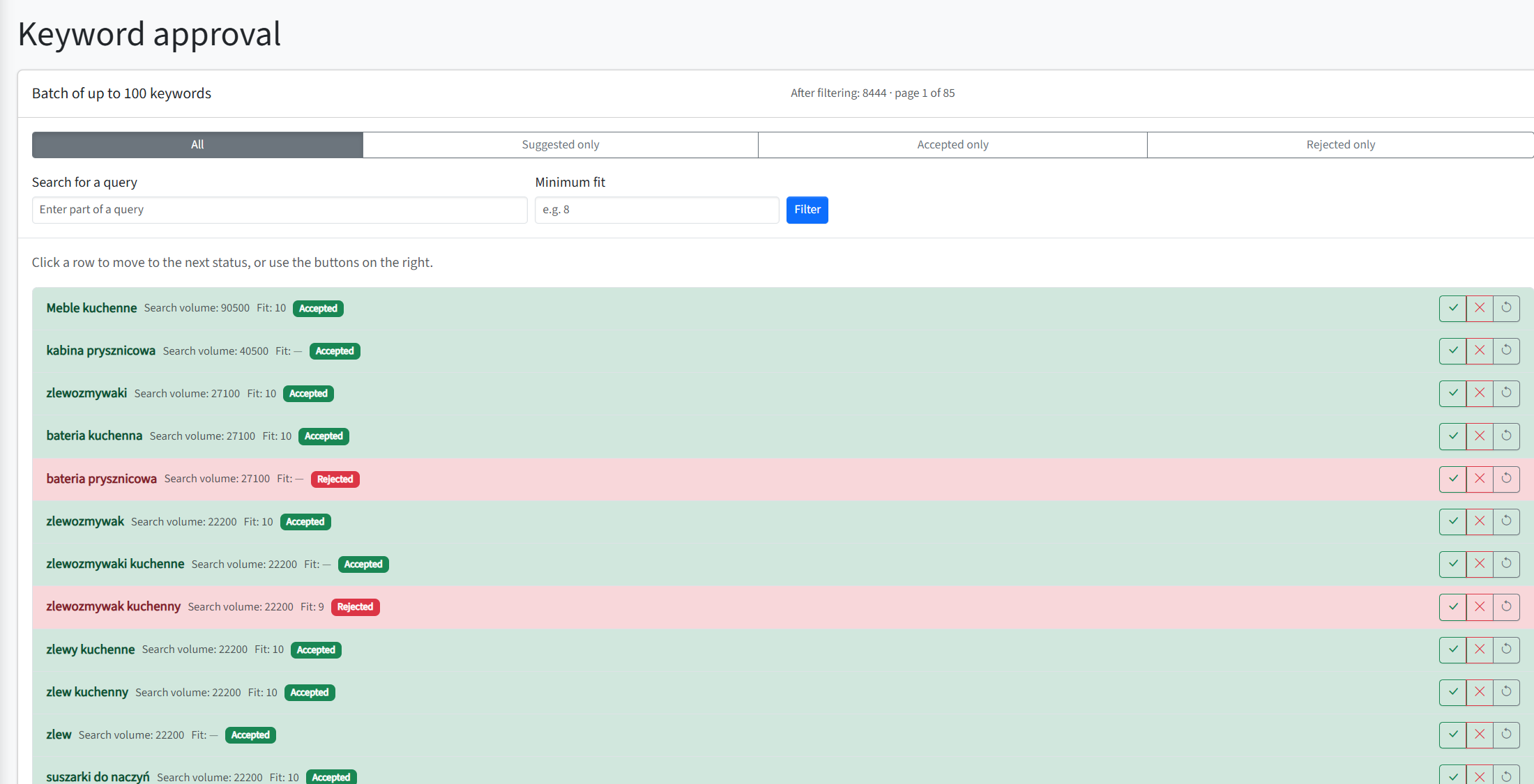
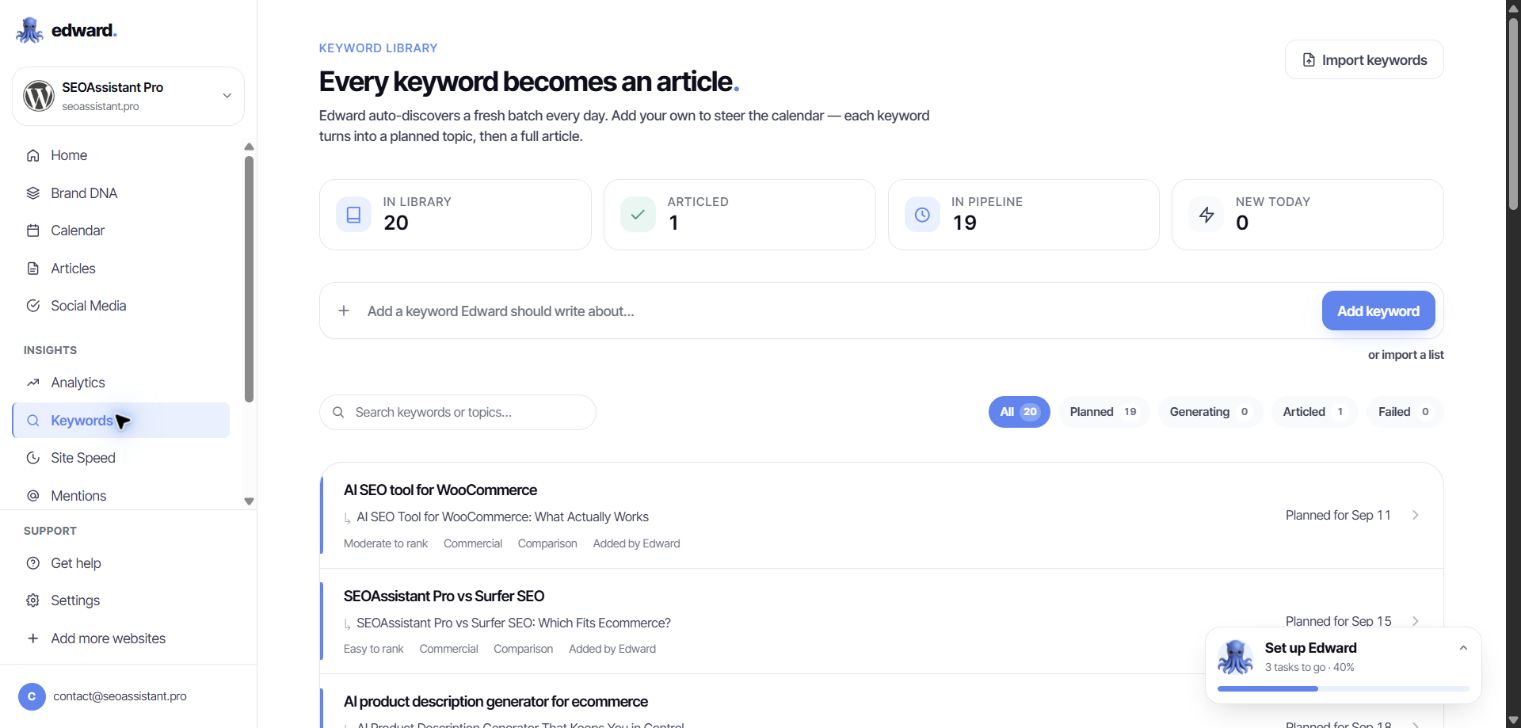
Edward’s Keywords module greets users with a clear statement: “Every keyword becomes an article.” It explains that a keyword becomes a planned topic and then a complete article.
There is no need to interpret the advertising. That is how the application itself describes this workflow.
But not every keyword needs a new article.
If you sell kitchen sinks, a query about a particular product type may call for work on a category you already have: a clearer description, a better explanation of the range and answers to shoppers’ questions. Sometimes the right destination is a product page. Sometimes it is an existing buying guide that needs updating.
Automatically turning more keywords into more posts does not resolve that choice. A system can perform a task very efficiently without that task being your store’s most important priority.
In SEOAssistant, an existing product or category is also a unit of work. Keyword selection supports a specific page and its offer—not just a blog publishing calendar.
We explored Edward’s dashboard. Where do you return to published content?
We went through the keyword library, calendar, article list and editor for an existing draft. The visible workflow runs from an idea to writing and publication. The calendar displays upcoming topics. The editor lets you change the text, publish it, schedule publication or export it.
In the views available to us, we did not find a recurring optimization workflow for existing content: a page’s results → fresh analysis → a recommended change → another revision → an update to that same page.
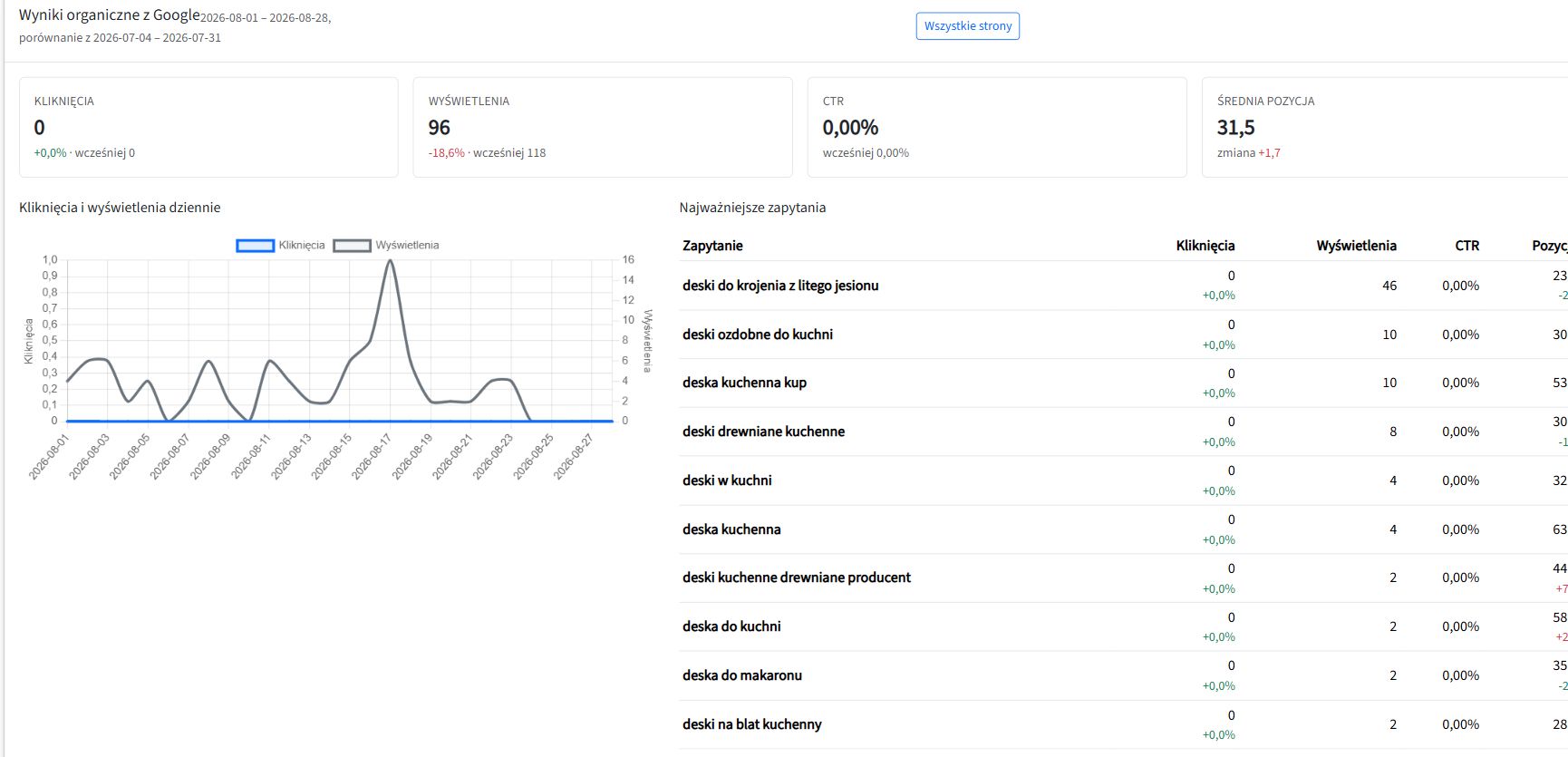
Being able to edit an article manually is not that workflow. Nor is a Search Console chart a mechanism that draws a conclusion and prepares an improvement.
Edward has analytics, competitor-change monitoring and a technical-audit module. But those tabs do not close the gap between “I can see the data” and “the system helps me improve this specific piece of content”. If you still organize the analysis, page selection and follow-up yourself, that work remains yours.
The provider describes broader SEO changes on its WordPress and Shopify integration pages. A claim on a website does not, by itself, demonstrate an operational improvement cycle for an existing catalog. We did not find that cycle in the dashboard we reviewed; our publishing integration had not yet been connected.
This is a specific gap in the workflow we examined, not an argument about whether AI can write a good paragraph.
A ready-made landing page? Ready to copy and paste
Edward’s Marketing Pages module generated a comparison page for us: headings, sections, a table and a call to action. In the preview, it looked finished.
The next step: copy the code and put it on your website.
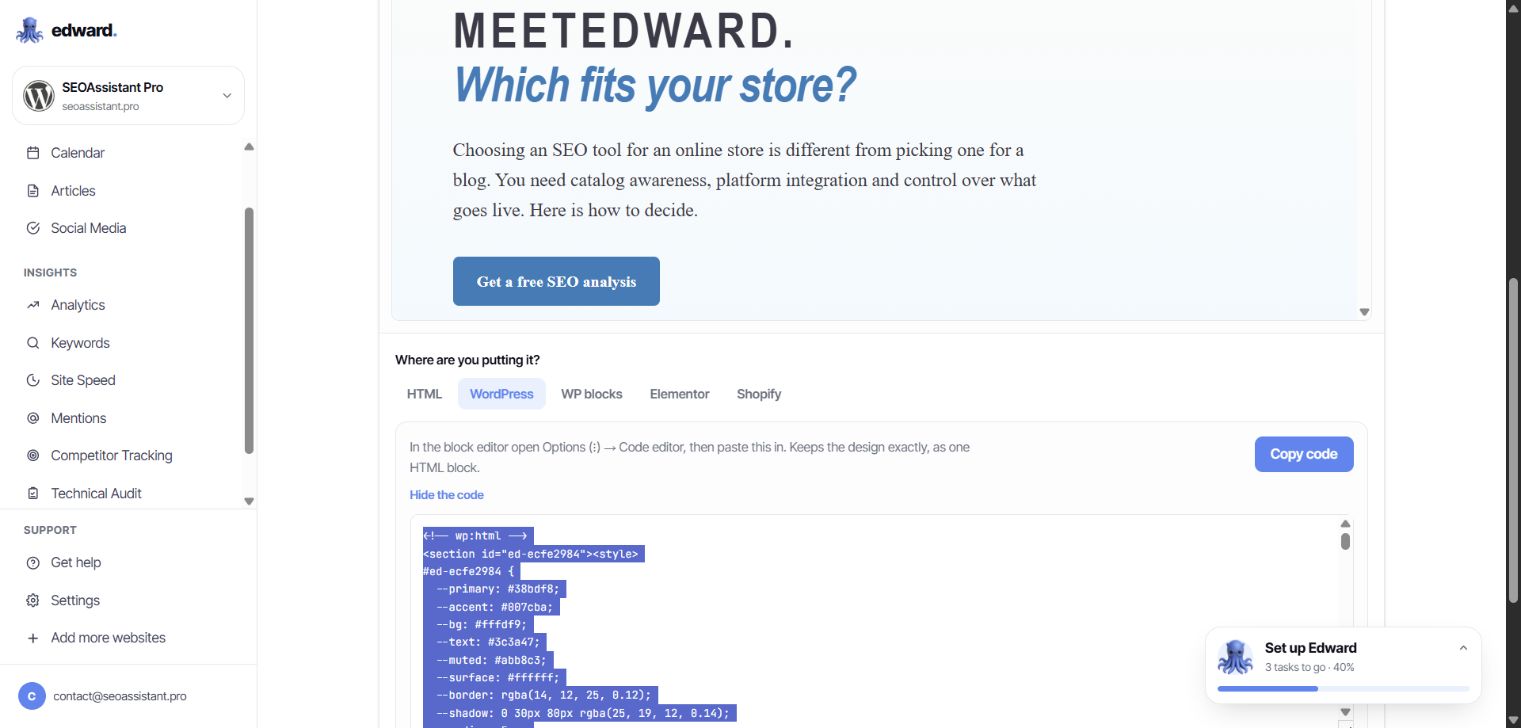
There are several export formats, including WordPress blocks. That does not change the core point: implementation remains the user’s job. You must place the material correctly and check it in your site’s actual template. Code for a standalone landing page does not automatically become an update to a category description.
If another round of manual work awaits after generation, automation has not removed it. It has moved it downstream.
In SEOAssistant, a proposed description change belongs to an existing product or category. The integration sends it to that page’s supported fields. You do not first have to turn a generated page design into content you can use in your catalog.
Soro, GetAutoSEO and Semly: do not mistake one capability for the whole SEO job
These tools differ. But an online-store owner should ask each of them the same question: will this work on my catalog, or add another layer of content alongside it?
| Tool | What its offer or accessible workflow shows | What that alone does not establish |
|---|---|---|
| MeetEdward | In our account: keywords → topics → articles → publication, with separate analytics and additional modules | We did not find a visible path from an existing page’s results to another revision of its content |
| Soro | Research, content creation and automatic article publication in a connected CMS | Publishing a post is not the same as updating an existing product or category |
| GetAutoSEO | Article production and distribution, blog integrations and blog hosting | Additional posts do not replace analysis and improvements to catalog descriptions |
| Semly | Visibility in AI answers, content creation and refreshes, and claimed access to store data | AI monitoring and content refreshes do not, on their own, demonstrate a complete revision and implementation workflow for product and category descriptions |
Scope sources: Soro, GetAutoSEO’s integration demo, Semly’s content capabilities and Semly’s integrations. The table distinguishes demonstrated or described scope from work that cannot simply be inferred from it.
A Shopify or WooCommerce logo is not enough. Publishing to a store’s blog, reading product data and updating product descriptions are different integration capabilities.
Likewise, tracking changes on a competitor’s website is not the same as using competitor analysis to prepare a new version of your own category page.
Do not only ask, “Do you have an integration?” Ask, “Show me what you would change in this product—and what you would do with it later.”
SEOAssistant: working on the store, not just its publishing calendar
Imagine a store with several thousand products. Some use supplier descriptions. Some category pages fail to explain the differences between products. Older guides do not reflect the current range.
Publishing another ten articles will not automatically improve any of those descriptions.
SEOAssistant is also built to work on those existing assets: it reads product and category data, prepares changes and sends them back to the connected platform. The supported fields depend on the integration.
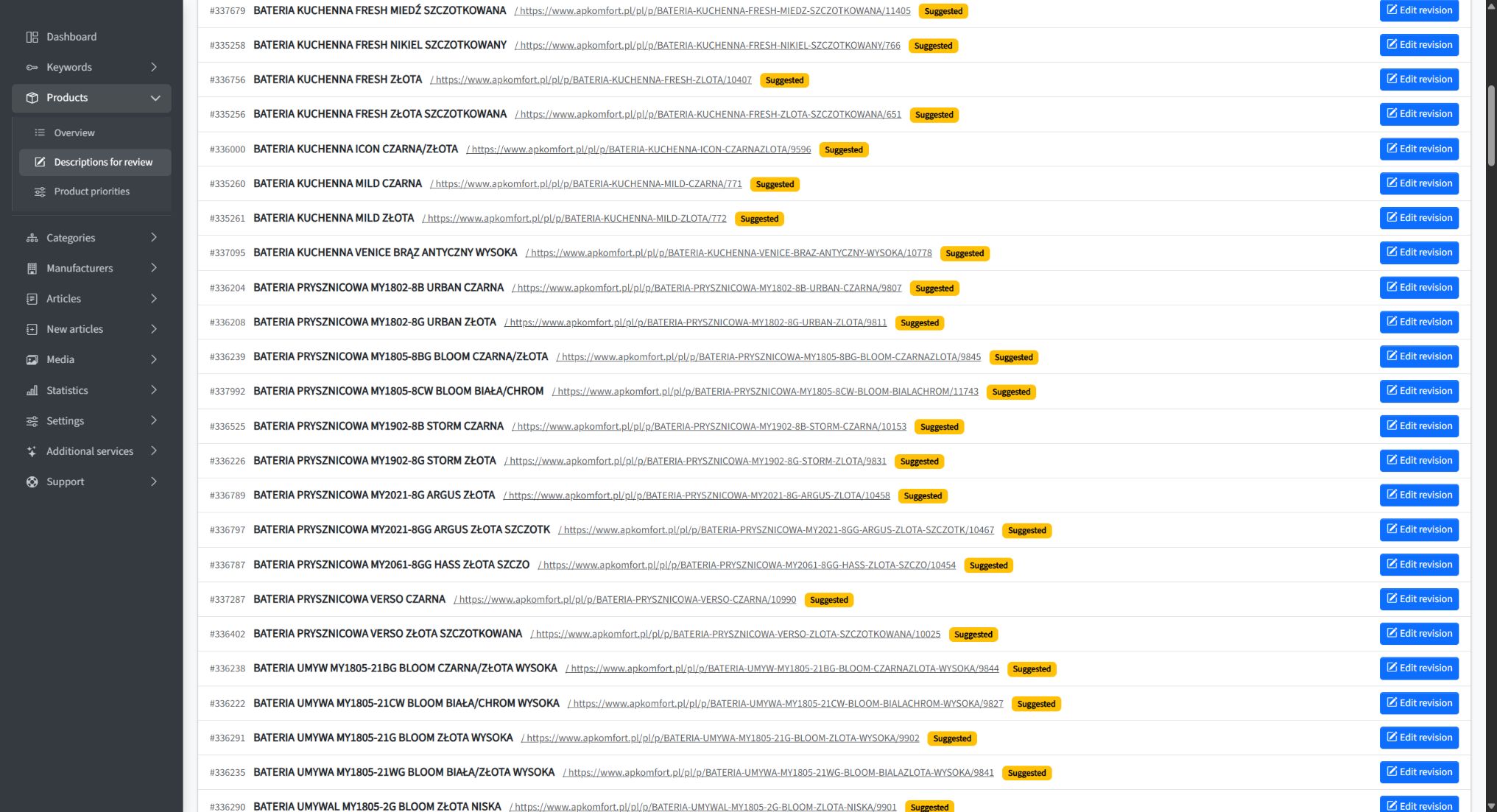
Product context, not just a topic
Descriptions are prepared in the context of the business’s offer, product or category data and selected keywords. The starting point is not simply “write something about kitchen sinks”.
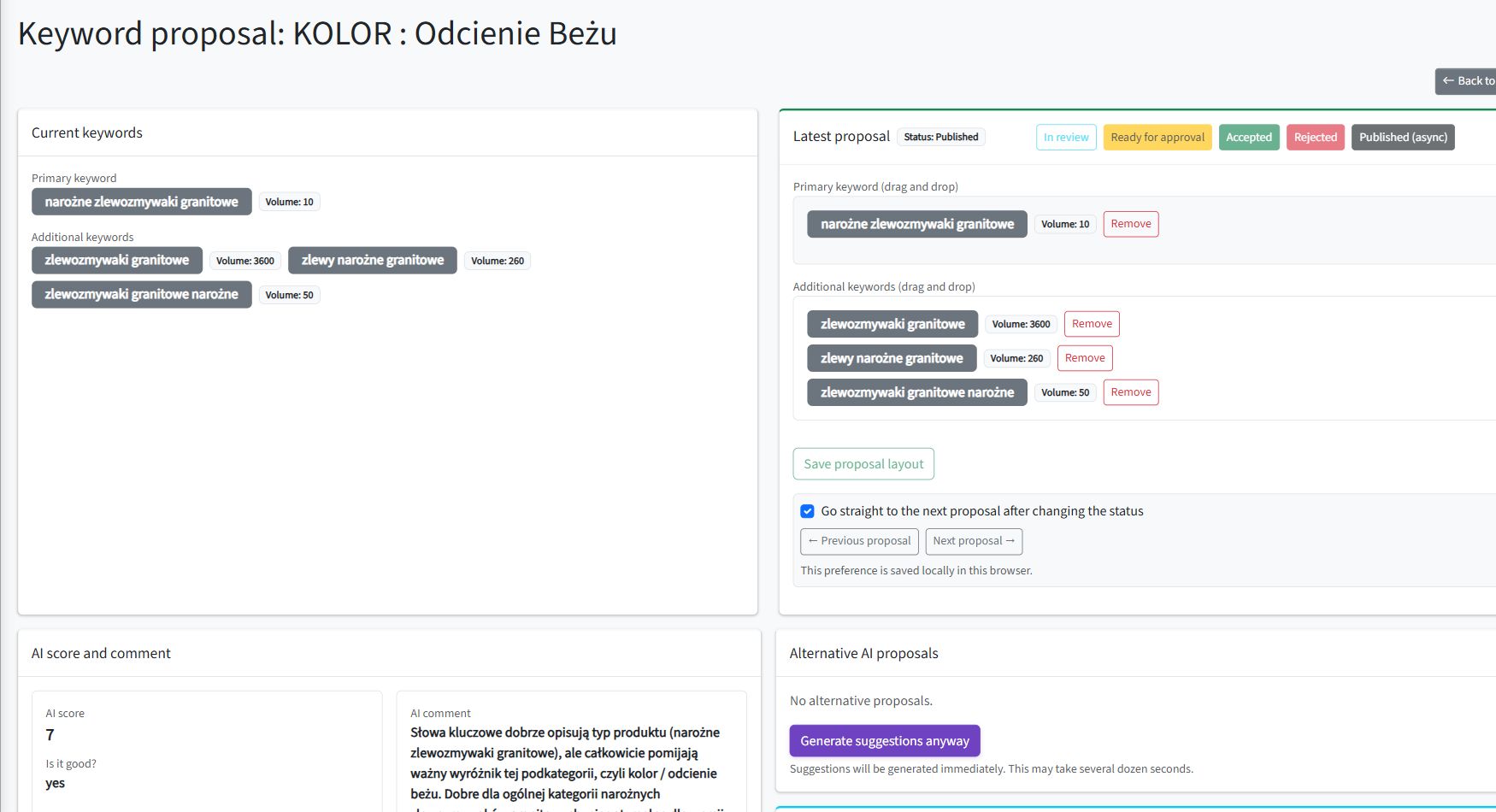
For a category, you can inspect keyword proposals and their roles, then prepare content for the relevant page fields. The analysis and the resulting text relate to a specific place in the store.
A revision, not a document to paste somewhere
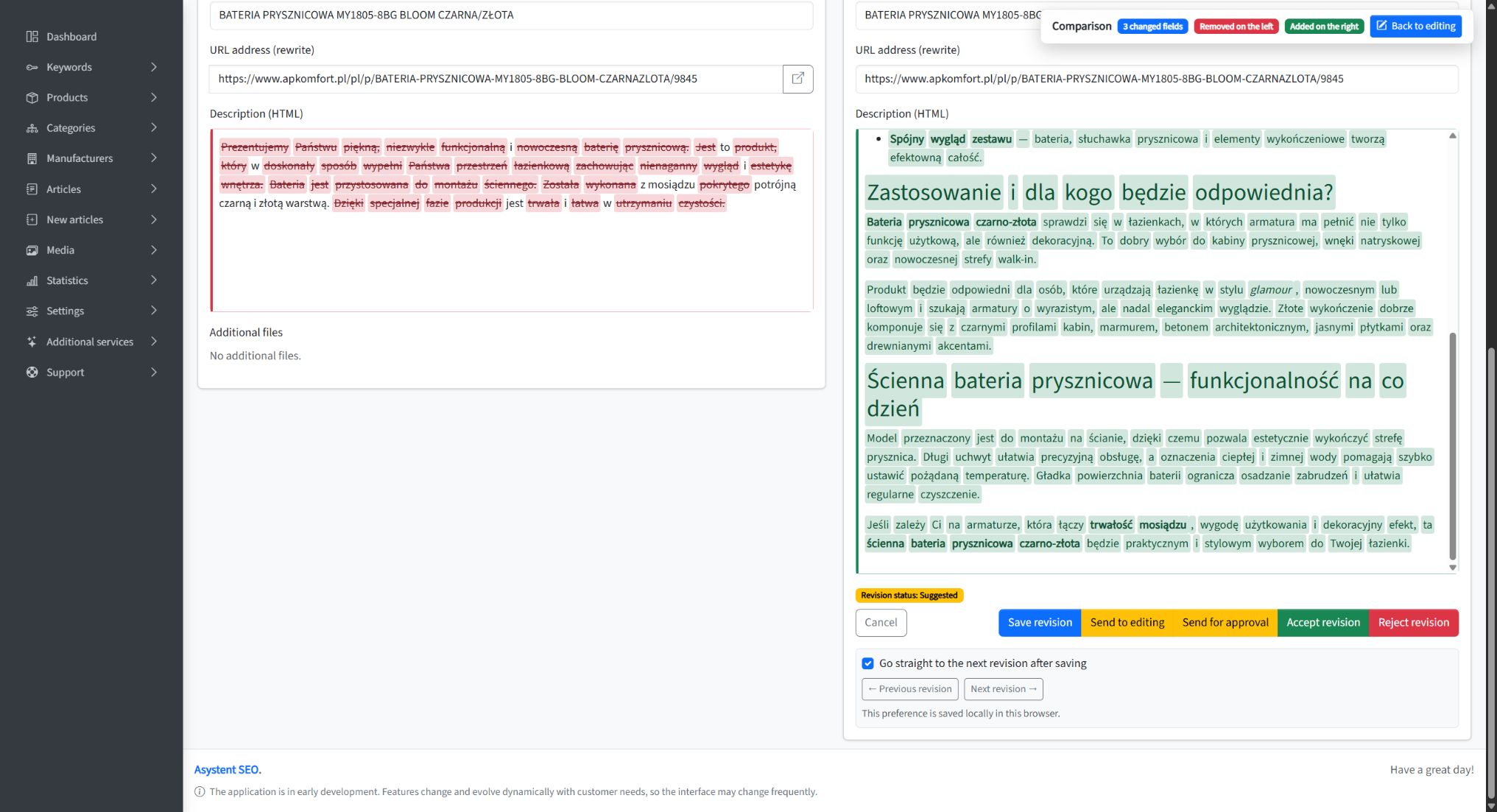
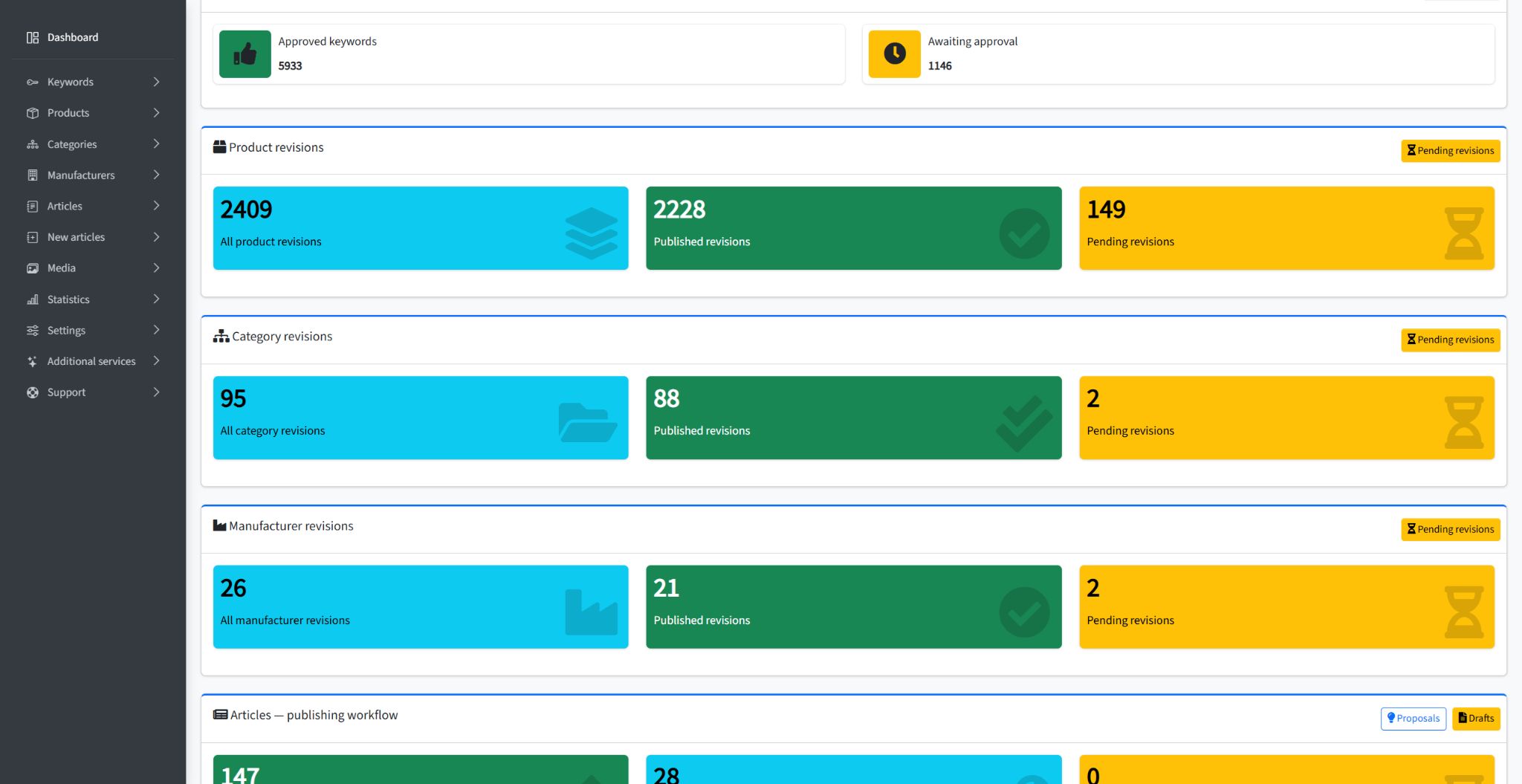
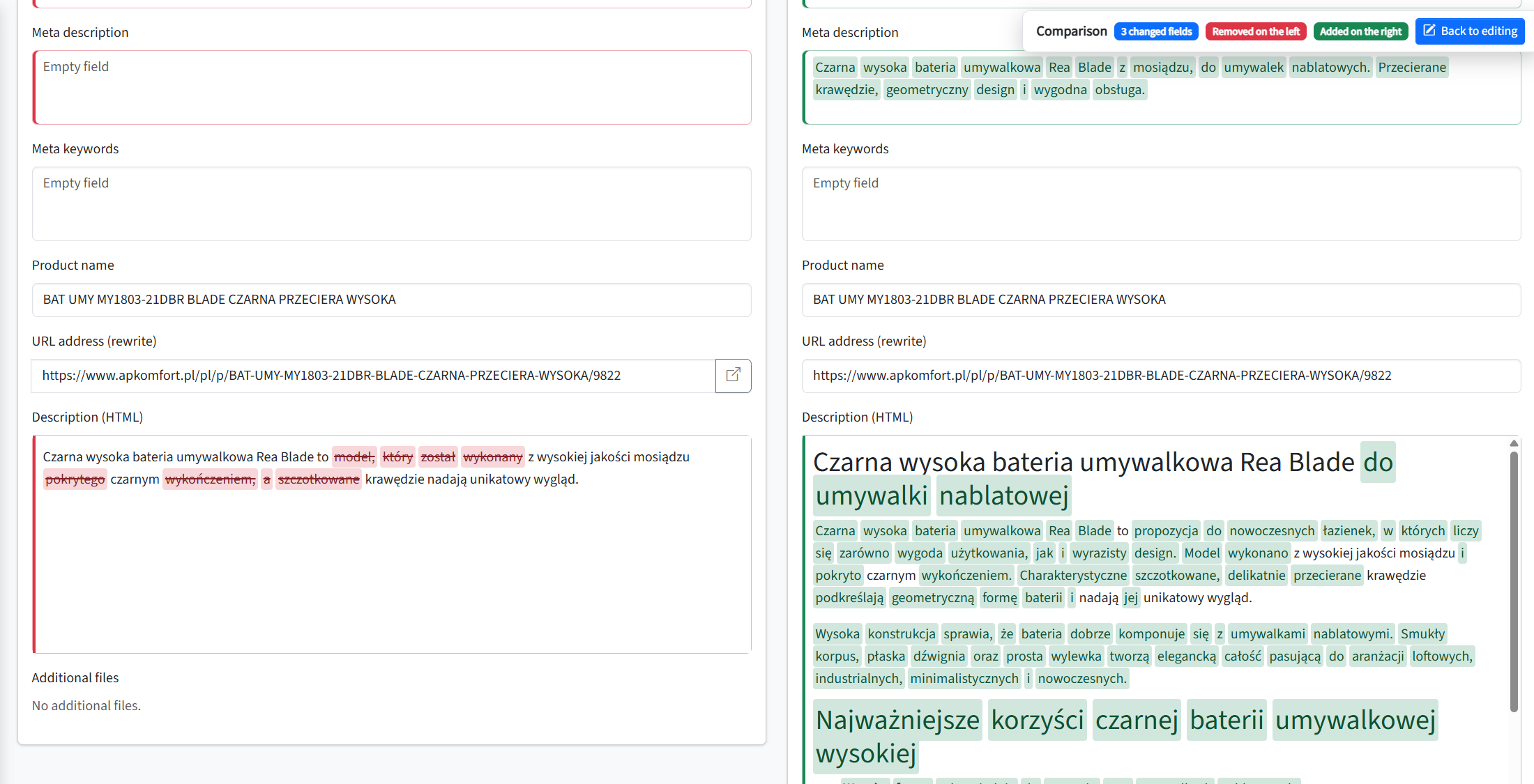
Proposed content becomes a revision attached to a product or category. You can see the current and proposed versions, edit the proposal and approve the change.
A diff highlights additions and removals. Instead of comparing two entire texts sentence by sentence, you can immediately see where to focus.
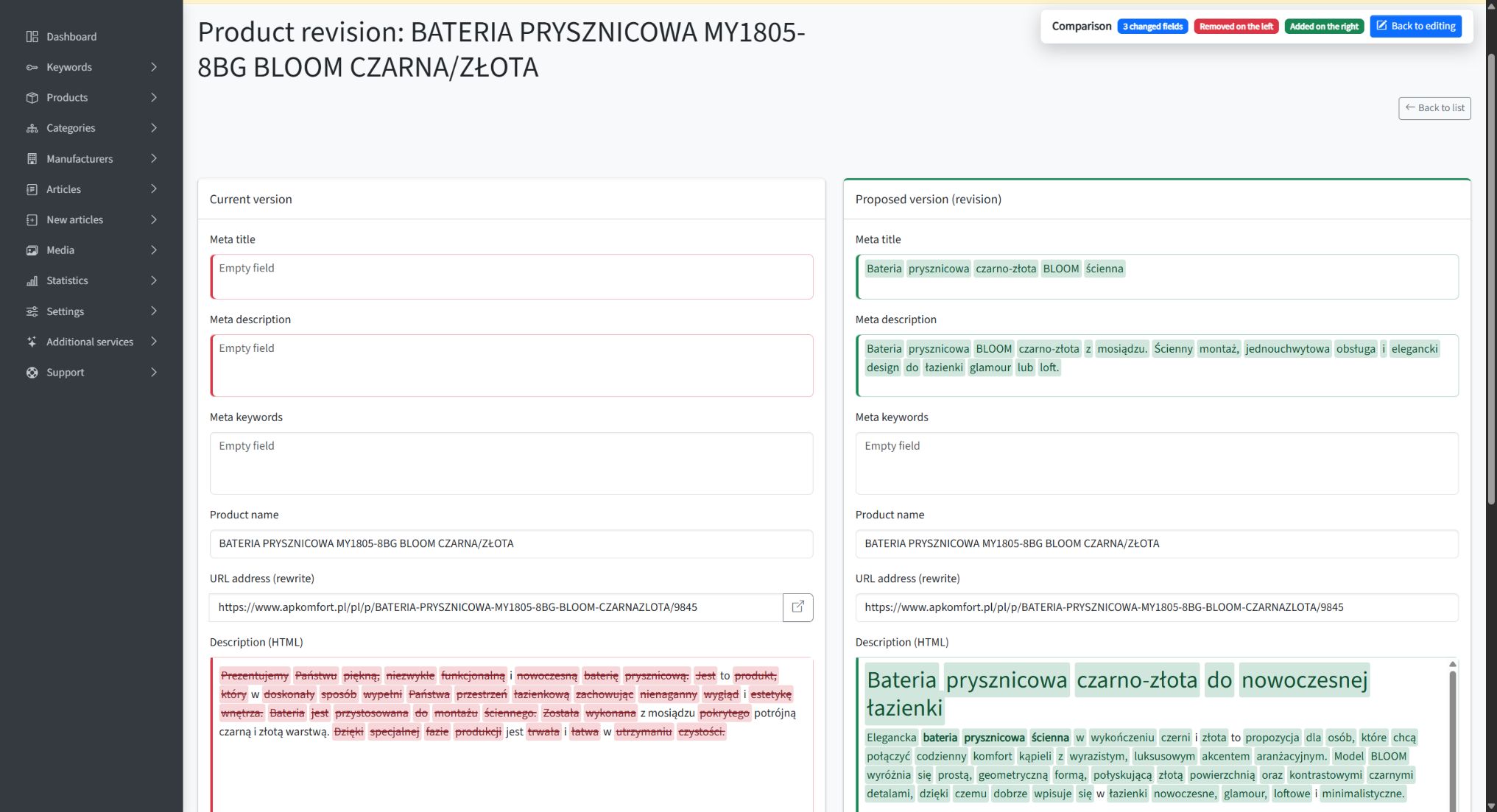
After approval, the application queues an update to the connected platform. Product-description generation also has an option to send the result to publication automatically.
The distinction matters: a person can contribute knowledge of the offer. They do not have to act as the copy-and-paste connection between systems.
See more examples in our article on reviewing AI-generated SEO content with a diff.
An audit, not the assumption that generated means finished
An appropriate word count and heading structure do not establish whether a description actually represents its category well.
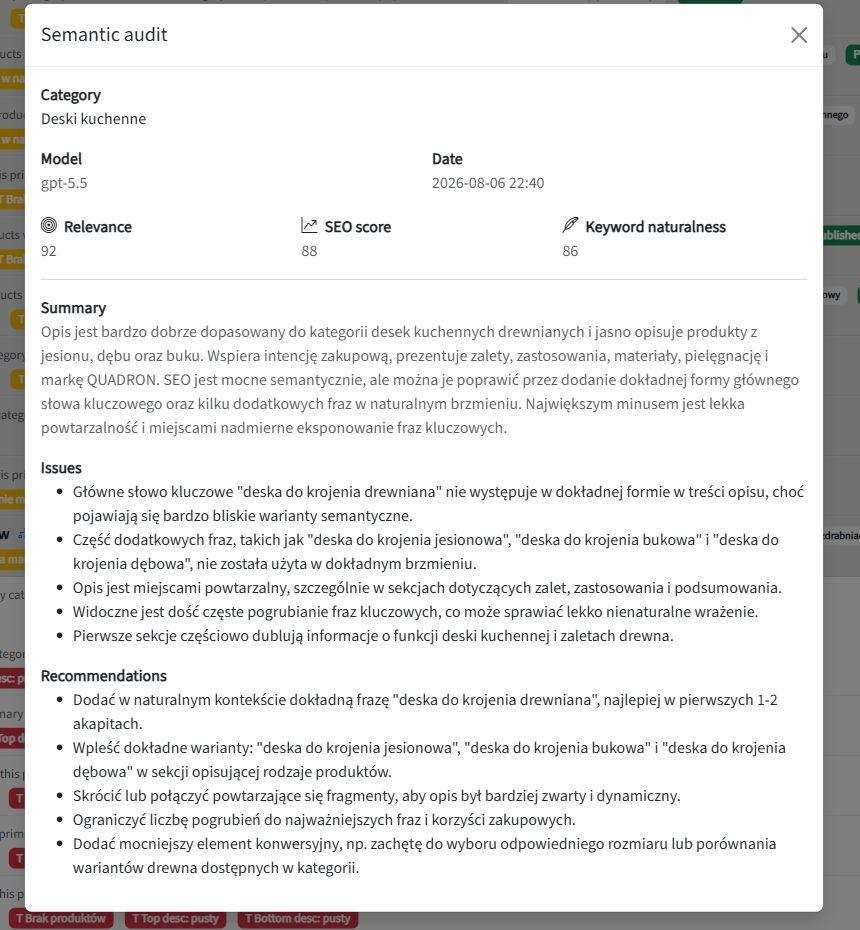
SEOAssistant’s semantic category audit identifies relevance issues and recommendations. You can return to a description with a specific reason to improve it, rather than commission the next article simply because the previous one has been published.
SEO needs a cycle, not a production line for new content
Publication does not stop the market changing. Product ranges, customer questions, competitors and search results all evolve. A good description does not automatically become bad—but it should be reassessed when there is a reason.
The right workflow therefore looks like this:
Page analysis → a justified change → implementation → observation → the next decision.
Not: another keyword → another article → another keyword → another article.
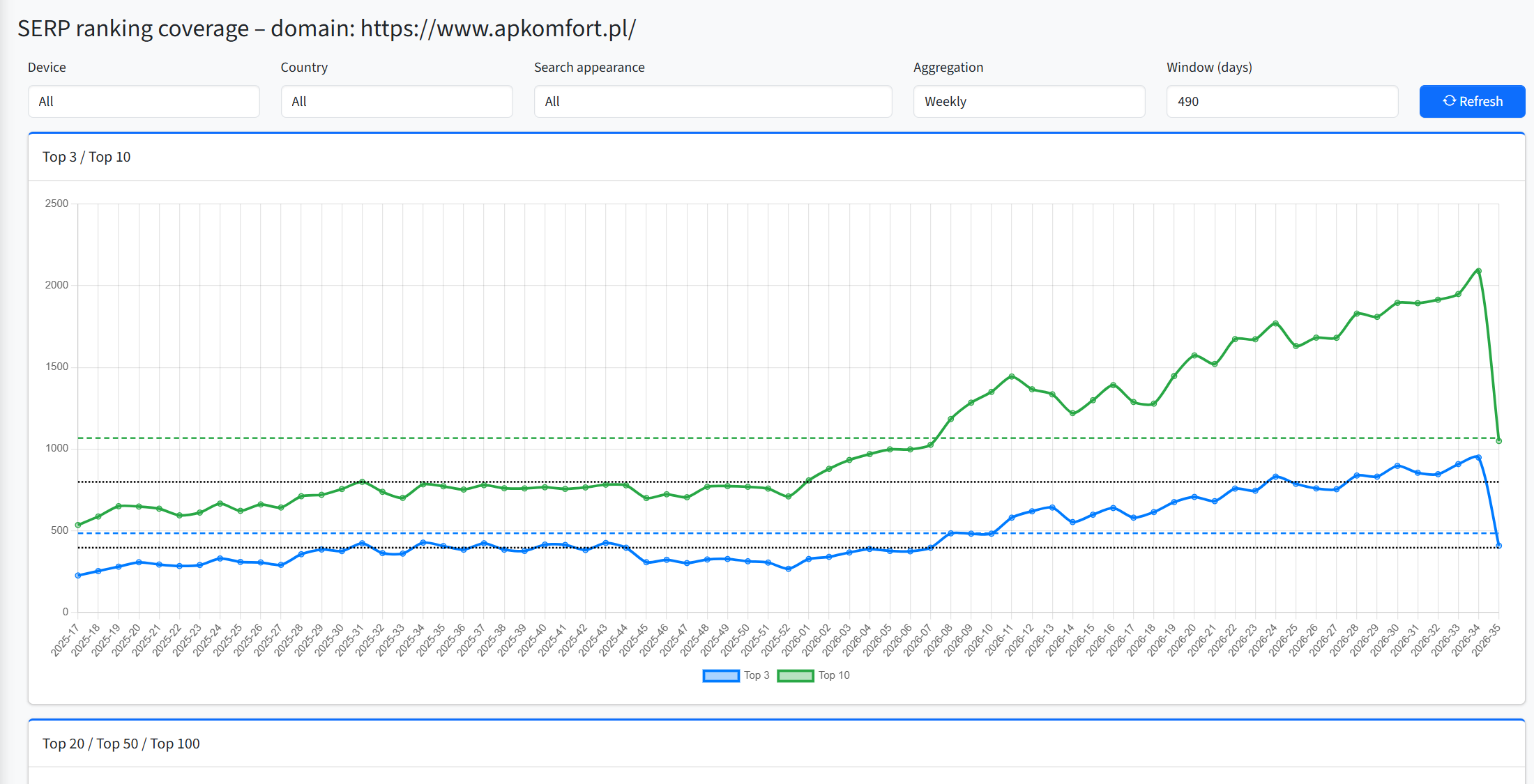
In SEOAssistant, we connect catalog work, revisions, audits and Search Console data associated with a specific category. We are developing this into an increasingly autonomous cycle; which stages run automatically depends on content type and configuration. The aim is better decisions about existing pages, not rewriting everything unconditionally every month.
This way of working allows future changes in the offer, trends and search-engine requirements to inform subsequent decisions. That is the direction of SEO automation that matters to a growing store.
We explain the process in more detail in our article on automating ecommerce category SEO.
A $39 subscription. What about the work left over?
Our Edward subscription cost $39 per month. But a price comparison only makes sense once you compare the scope of the completed job.
If you still have to analyze categories separately, improve products, implement exported pages and organize follow-up work on older content, those tasks have not disappeared from the SEO budget.
A low subscription price does not make the work outside the tool free.
Do not compare only article allowances and monthly fees. Compare how much work on your actual website you no longer have to do manually.
Ask to see an improvement. Not another generated article
During a demo of an ecommerce SEO tool, bring a specific product and category. Ask:
- What does the system know about this page, and what does it propose based on that data?
- Will it improve the existing content or write a new article alongside it?
- Can I see exactly what it changes?
- Will it implement the change in the correct store fields?
- What enables us to return to that same page after publication?
If the presentation ends at “AI wrote the text”, you have seen a content-generation demo. Not a complete workflow for your catalog’s SEO.
Your store does not just need more content. It needs consistent work on the pages where you sell. That is what we are building SEOAssistant.pro for.
About this comparison: prepared by the SEOAssistant.pro team, based on our review as of September 8, 2026. We used our own Edward account, GetAutoSEO’s public demo, official Soro and Semly materials, and SEOAssistant’s workflows. Our Edward observations concern the features visible in the account we reviewed; we did not run deployments through its connectors. This is not a comparative traffic-growth experiment or a ranking guarantee. AP Komfort screenshots come from previously published materials and are used with the client’s permission.